Automotive / Digital Showroom
OTOSURYA.
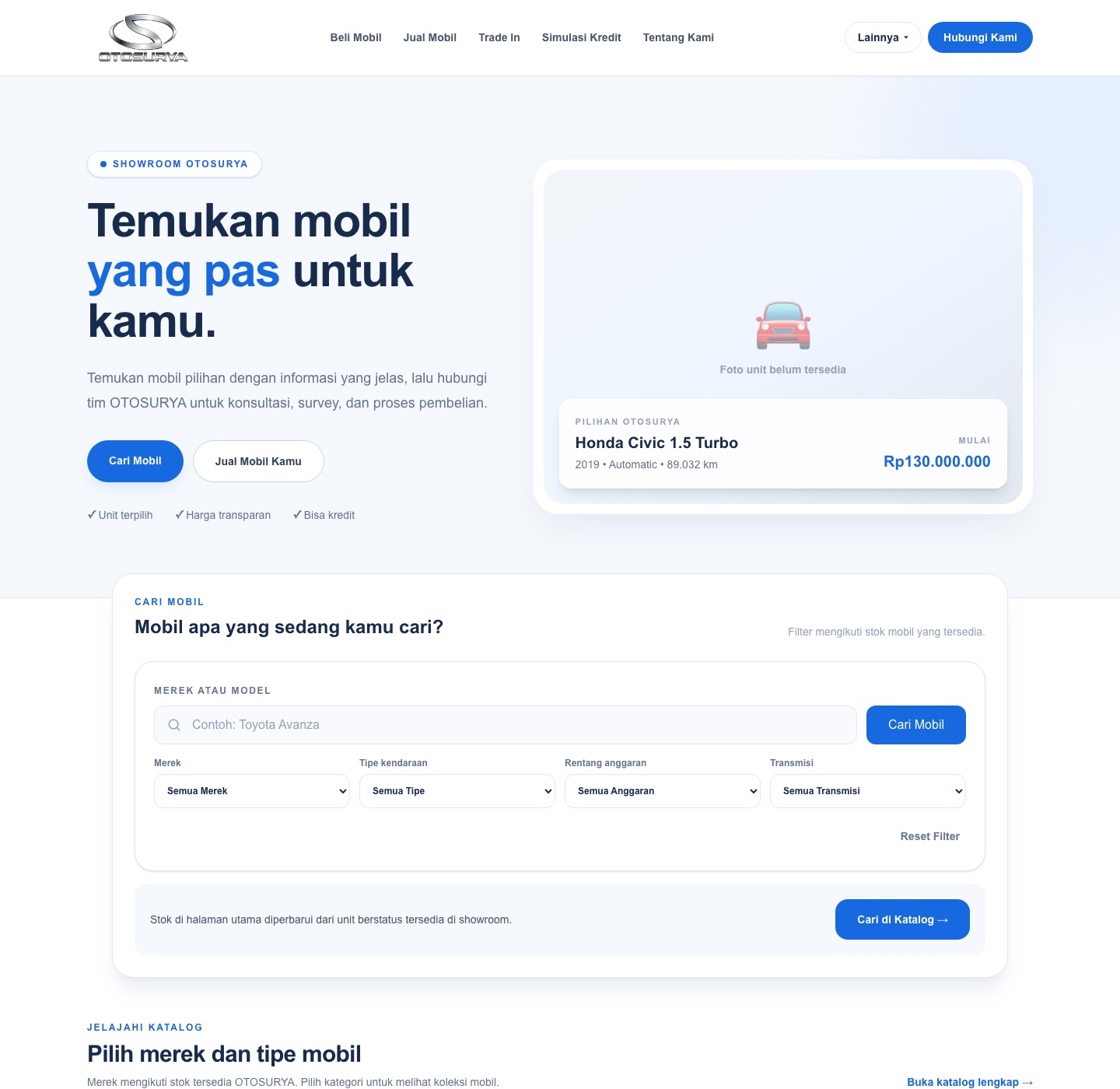
A digital automotive showroom for browsing vehicle listings, with structured car information and inventory-management functionality.
Explore the project- Next.js
- JavaScript
- Tailwind CSS
- Supabase
Additional views
More from the interface.
 Open full-size image in a new tab
 Open full-size image in a new tab
A showroom built around discovery.
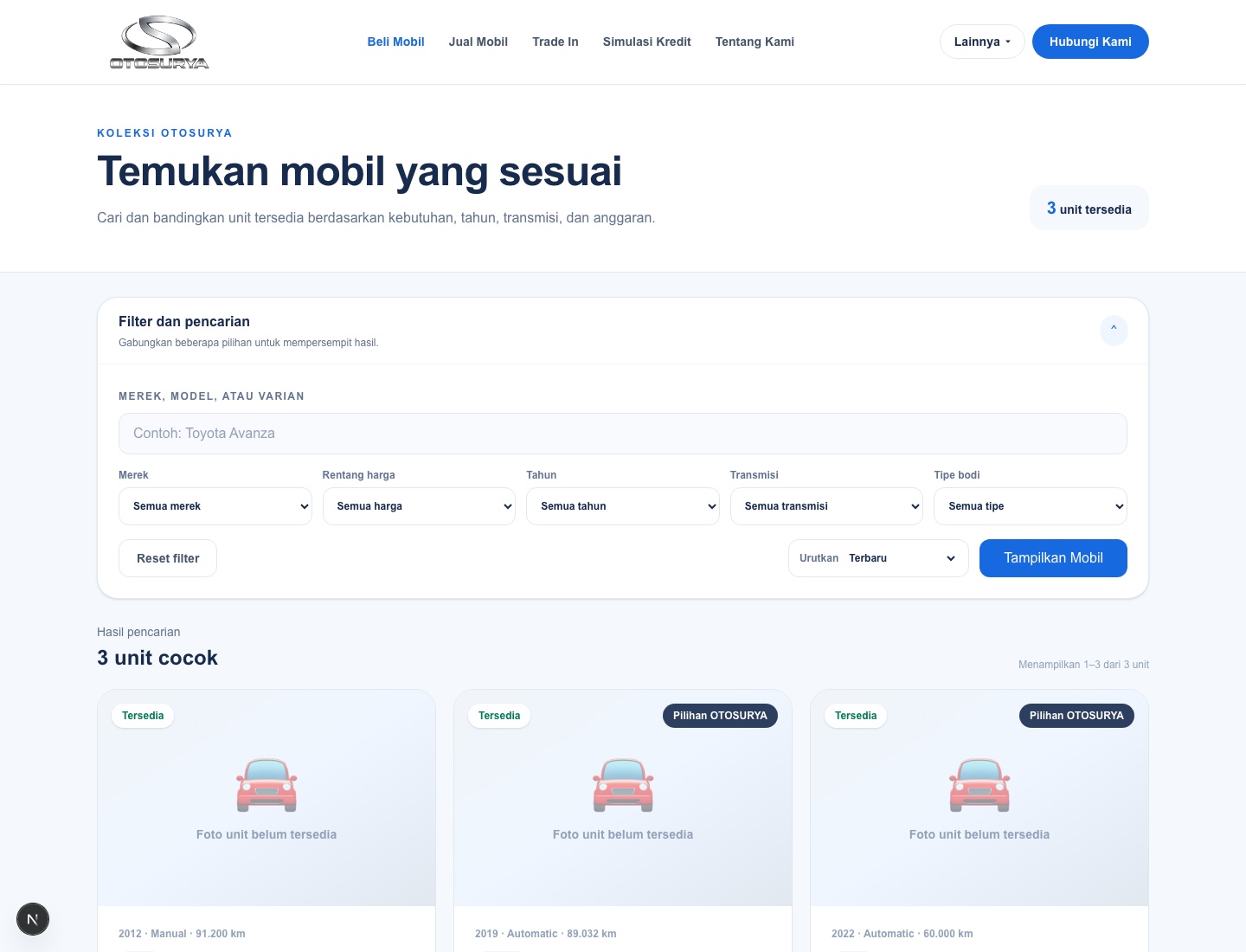
The public flow is organized around a practical question: which available vehicle fits what someone is looking for? The catalog makes that search filterable, then carries the visitor into a structured unit detail page.
This describes the implemented interface and its intended use. The local captures document source behavior; they do not establish a deployed result or measured user outcome.
From a broad search to one unit.
The catalog and detail routes form a clear public path, while inventory records remain the source for the information shown along the way.
- 01
Narrow the catalog
Search and filter controls cover make, body type, transmission, year, and budget. Sorting and pagination are reflected in the URL, so the server route can fetch the matching page of available cars.
- 02
Review a vehicle
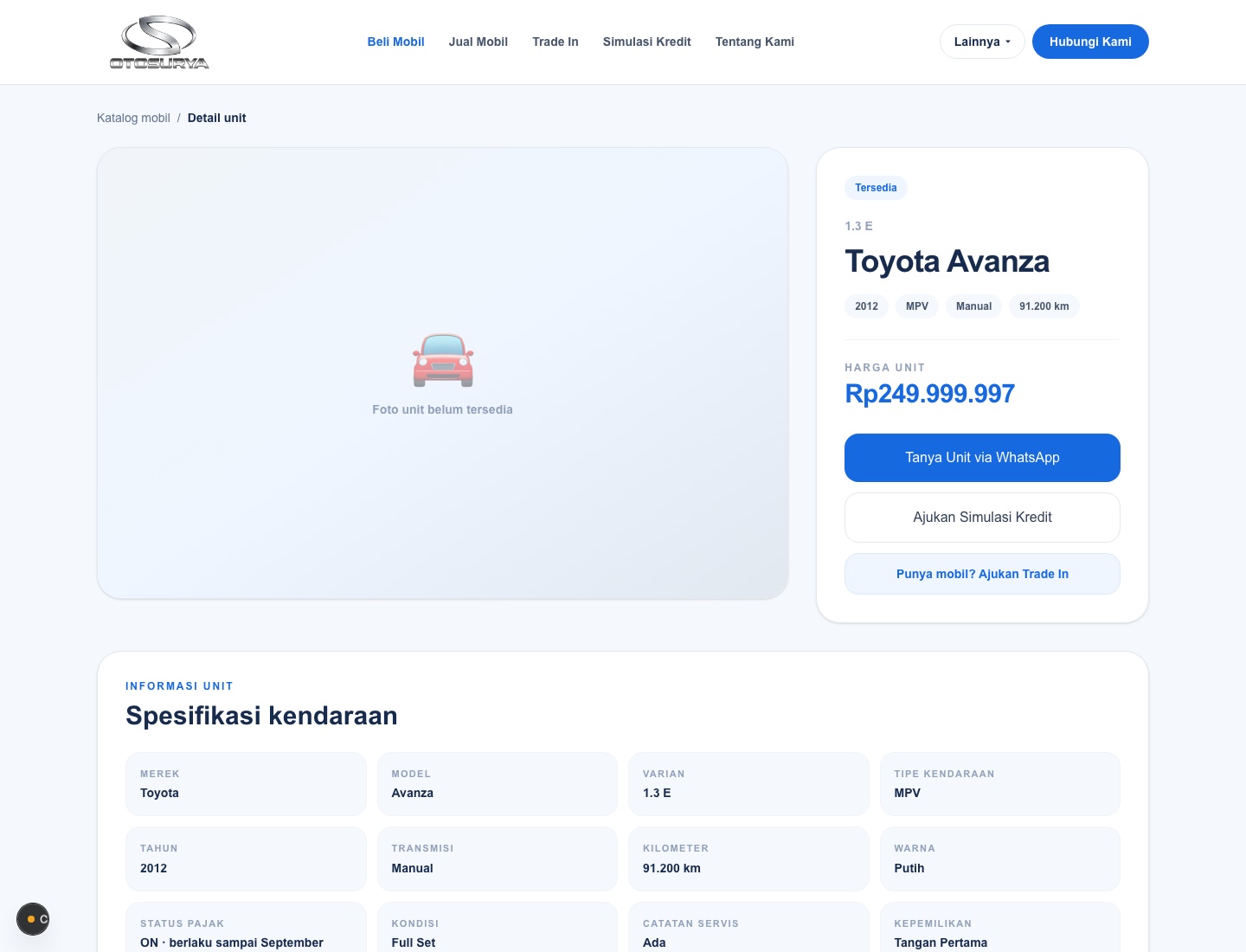
Each listing links to a detail route keyed by its record ID. That page presents vehicle attributes, price, ordered photos when available, and related available units.
- 03
Choose a next step
The detail page offers a sales enquiry and a trade-in path. The enquiry form writes a lead record before opening WhatsApp; this describes the code path, not a claim about conversion or delivery outcomes.
The essential parts.
Browse listings
The catalog query filters records to available units and supports search across make, model, and variant.
Structured details
The detail route presents fields including year, transmission, mileage, color, tax status, condition, service record, ownership, and plate region when values exist.
Inventory management
A separate inventory interface can create and update car records, upload and remove ordered images, and manage status and featured state.
A catalog connected to Supabase records.
The inspected source separates URL-driven catalog controls from server-side Supabase reads, then uses the selected car record to shape the detail view.
Next.js
Web application framework
JavaScript
Language used in the inspected application files
Tailwind CSS
Utility classes in the inspected UI
Supabase
Server and browser clients query the cars and lead data used by the routes
The local source uses Supabase clients for catalog, detail, inventory, image, and lead operations. The repository contains targeted SQL query files, but not the base schema for cars and car_images; no column constraints or relationship definitions are inferred here. The inspected application files are JavaScript, not TypeScript.
The record shapes the experience.
These observations come from the inspected routes and components. They describe implementation choices, not measured performance or outcomes.
- Catalog filters are submitted as URL parameters and applied in the server route; available inventory is also queried separately to build filter options.
- Vehicle image records are sorted by sort_order for listing and detail galleries. The UI contains an empty-photo fallback when an image is unavailable.
- The admin route checks for auth claims and an is_admin RPC result before listing inventory. The form repeats an admin check before saving changes.
The strongest through-line is the connection between public discovery and the records managed behind it: catalog filters, detail content, images, and enquiries all use the vehicle record as their shared point of reference.